Shift Marketplace
Project Overview
Problem
Store managers spent 4–6 hours per week manually managing schedules, shift swaps, and time-off requests through phone calls, texts, and sticky notes. Associates lacked visibility into available shifts and had no way to swap shifts without manager intervention, leading to increased labor costs to cover scheduling gaps, fragmented 3rd-party apps, and frustration on both sides.
Role
UX Designer
Responsibility
I owned the end-to-end UX for the scheduling platform, leading research with store associates and managers, designing mobile-first workflows for shift discovery and swapping, creating manager dashboards for approvals and coverage oversight, and conducting usability testing to validate flows across diverse user groups and device contexts.
Research
Overview
I visited 4 stores to observe scheduling, interviewed 8 associates and 4 managers about pain points, and analyzed 150+ help desk tickets. I tested early prototypes with 14 users of different ages, tech comfort, and roles to confirm mobile-first, self-service flows reduced manager workload and gave associates more control. Research showed peer-to-peer scheduling already happened informally via texts and group chats, highlighting demand for a formal self-service system.
Key Findings
Associates wanted to pick up shifts but didn't know when opportunities existed; managers announced openings verbally, and by the time word spread, shifts were gone or forgotten.
Peer-to-peer shift swaps were already happening informally in group texts and break rooms, proving demand for self-service, but managers had no record or oversight.
Mobile-first design was non-negotiable as 90%+ of associates accessed scheduling information on personal phones during breaks, commutes, or off-hours.
Managers needed to see coverage by department in real time, approving a shift pickup without knowing it would leave a department short caused operational chaos.
Fairness and transparency were critical; associates worried about favoritism in shift assignments and wanted a clear, first-come-first-served system with visible rules.
User Personas
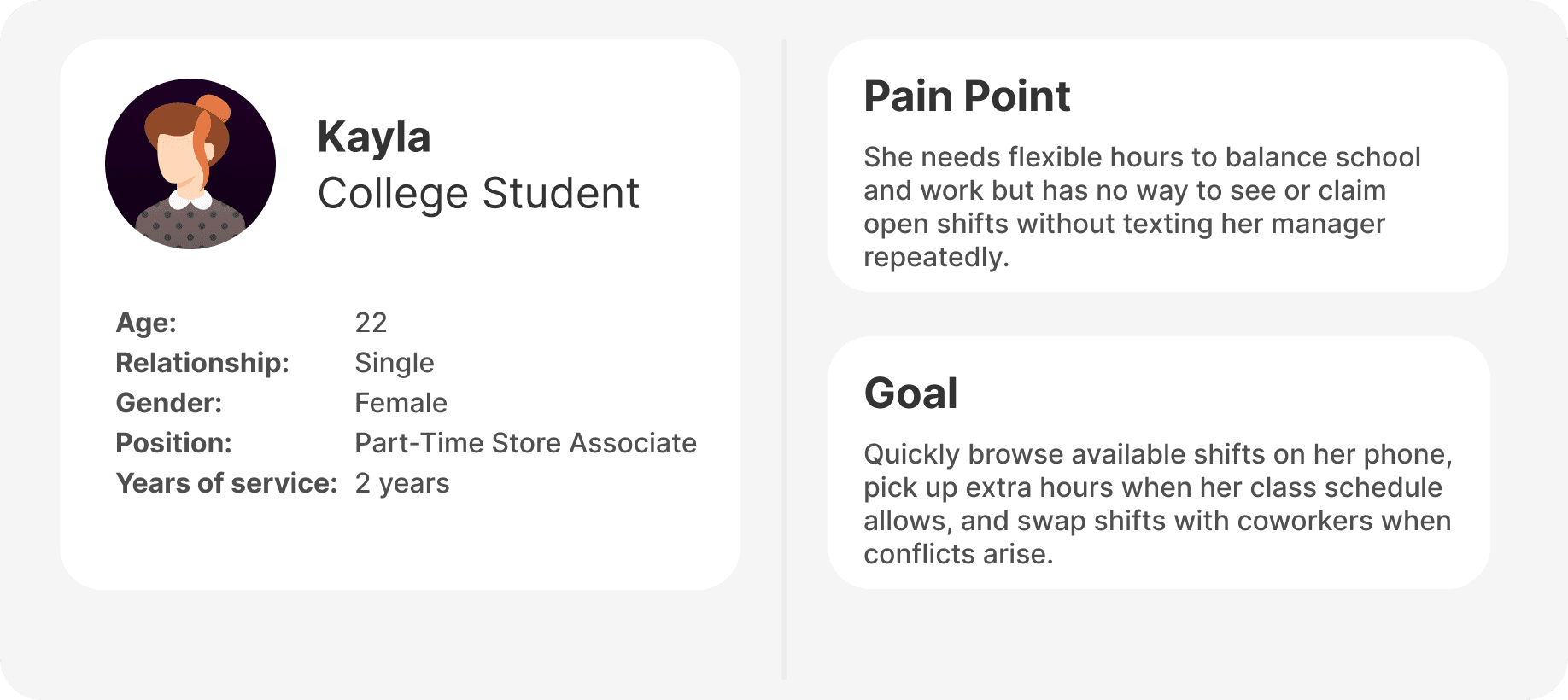
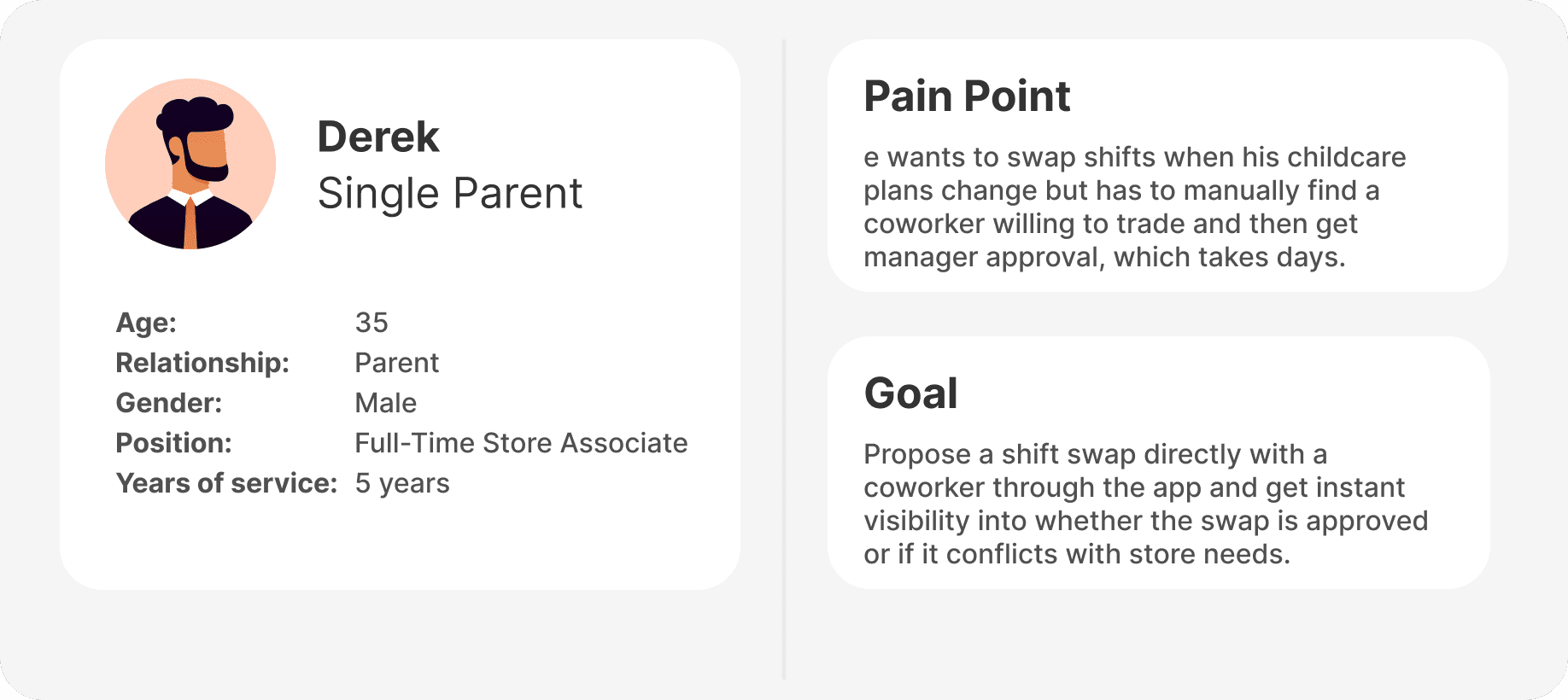
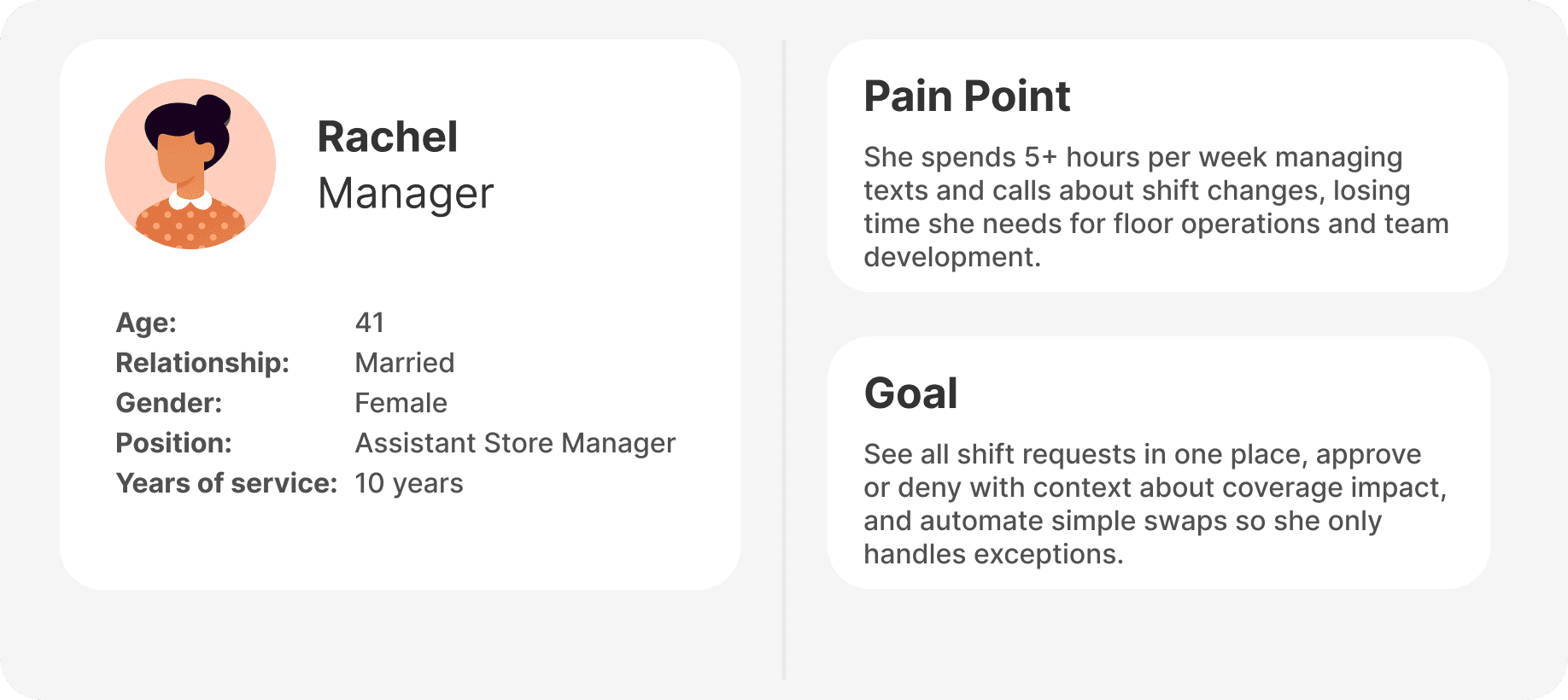
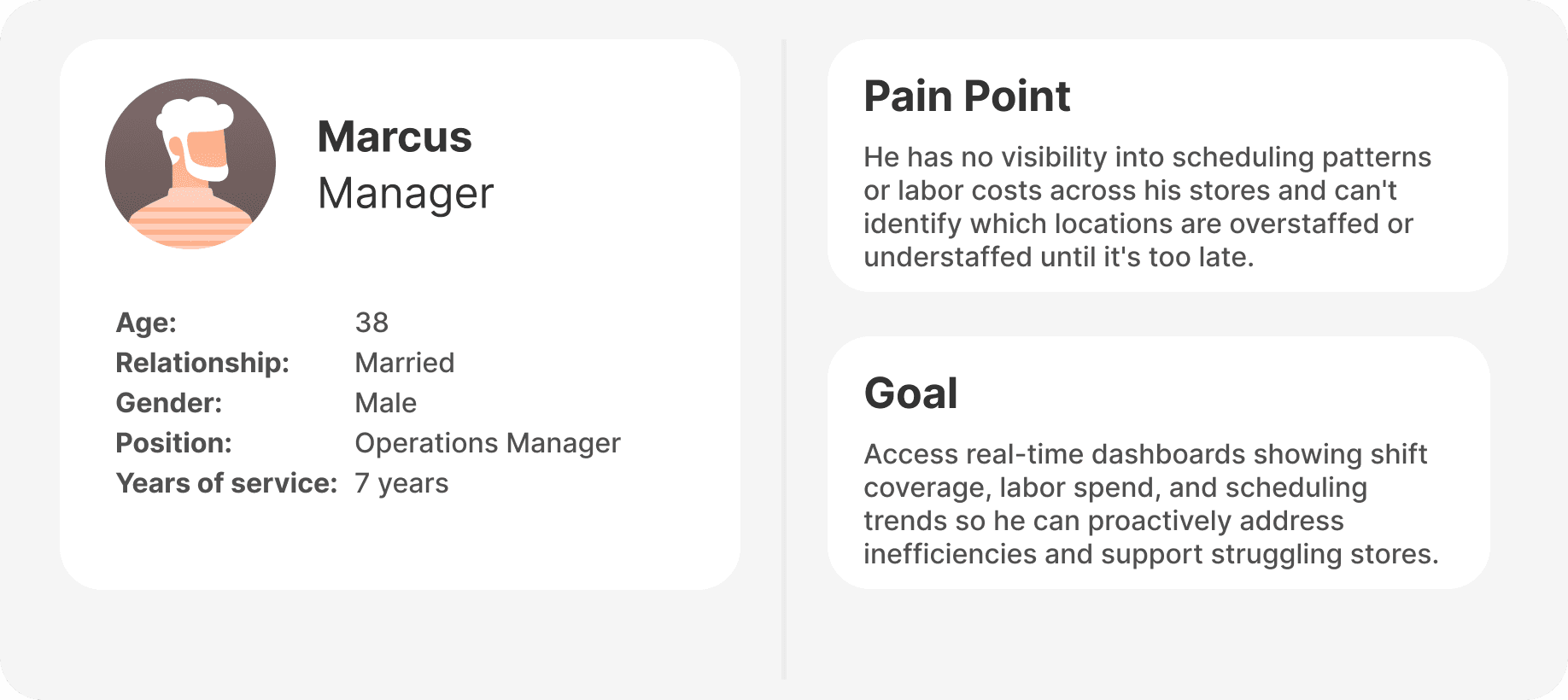
From our research, we put together 4 user personas that would represent the most common pain points and goals users hope to achieve.
Pain Points
Manager Bottleneck – Manual Request Processing
Managers acted as the sole scheduling bottleneck, spending hours fielding requests via text, calls, and in-person conversations with no central system to track changes.
Associate Invisibility – No Shift Discovery
Associates had zero visibility into open shifts and relied on word-of-mouth or manager announcements to find extra hours, missing opportunities regularly.
Informal Workarounds – Compliance Risk
Informal peer-to-peer shift swaps happened off-system through group chats, creating compliance risks and leaving managers unaware of coverage gaps.
3rd Party Apps - Fragmented Solutions
No single source of truth for schedules meant associates couldn't quickly check their shifts, leading to confusion, no-shows, and constant follow-up calls to managers.
Design
Overview
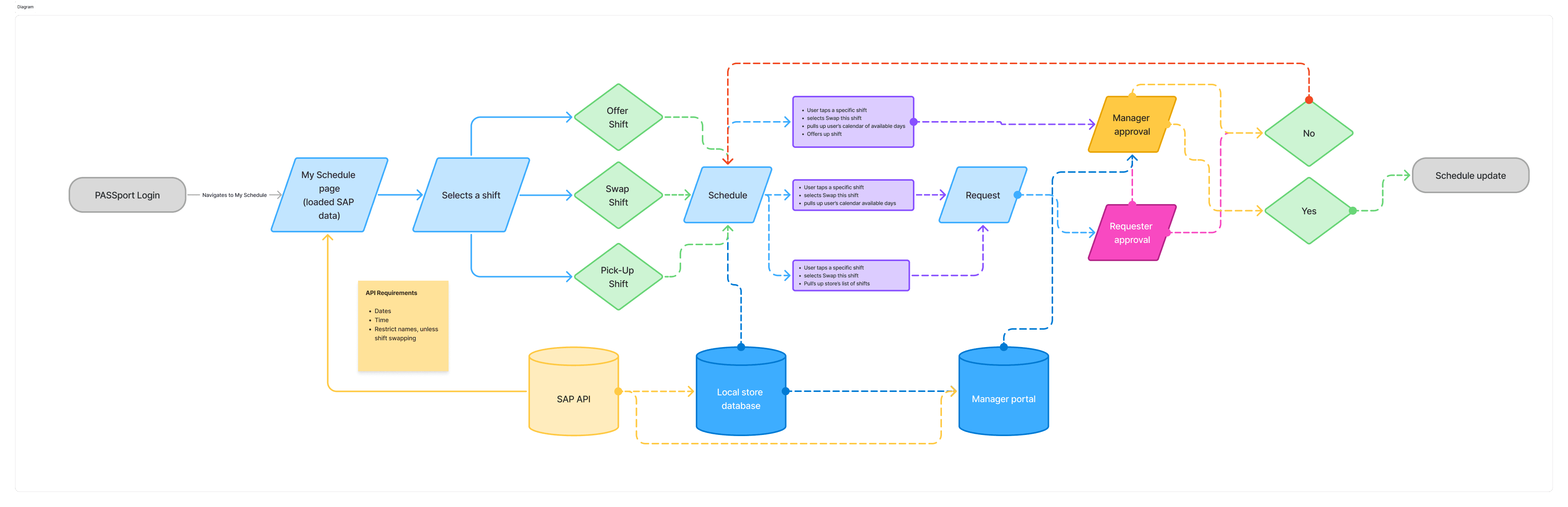
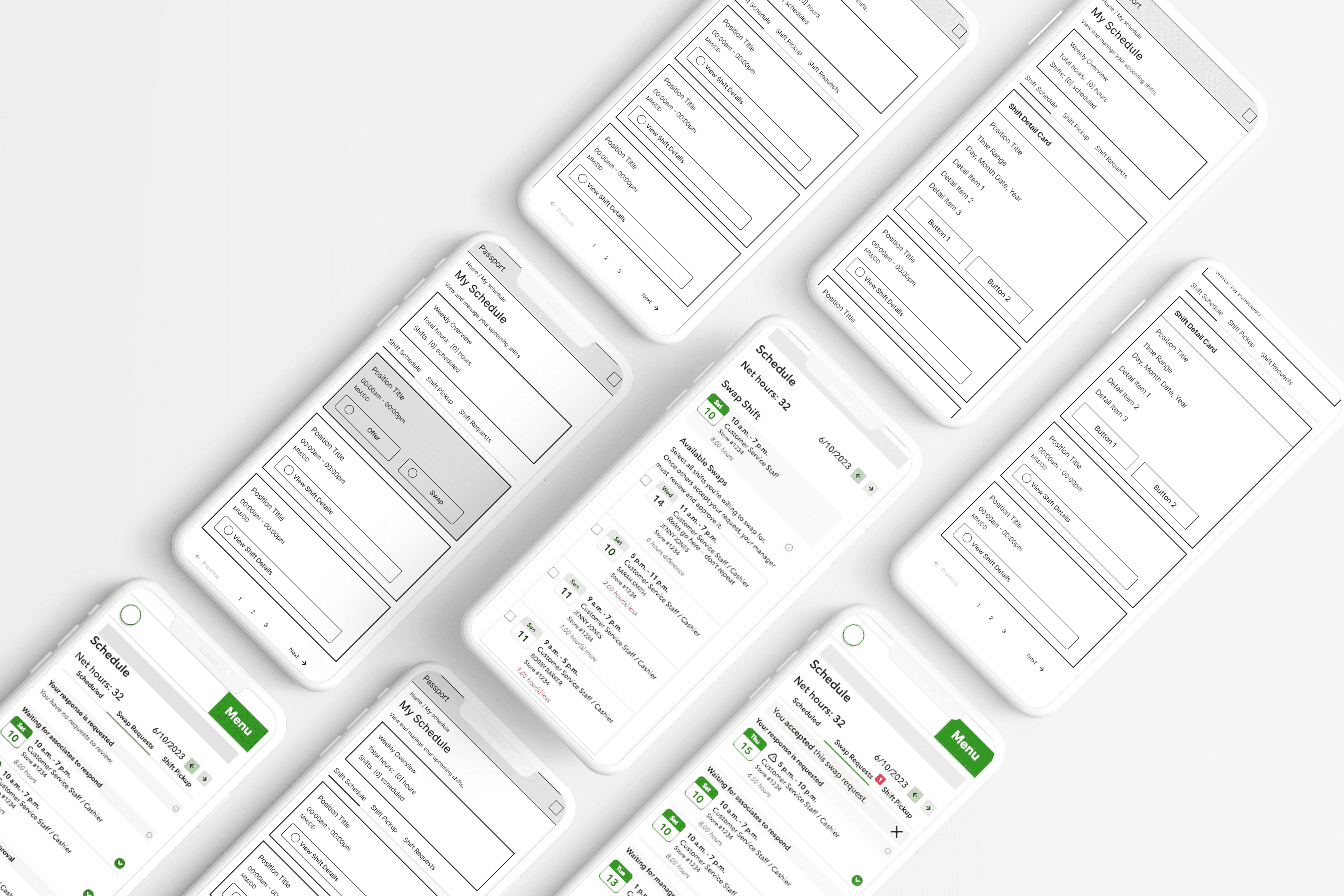
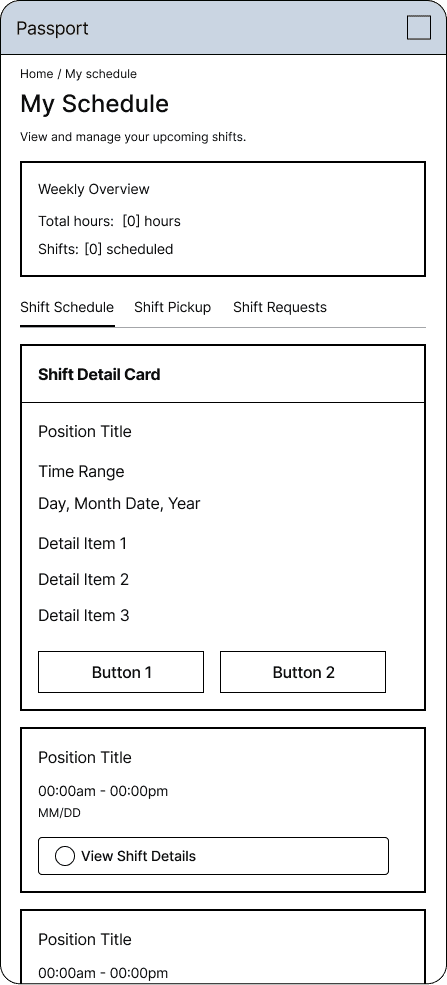
My goal in this design was making sure the layout focuses on one clear mental model: “see my week at a glance, then drill into a single shift.” It uses a clean card list, a single “My Schedule” page with tabs (Schedule, Pickup, Requests), and show important quick details while giving a way to see more by clicking “View shift details” actions so associates can scan quickly, tap once, and never wonder where to go next.
Wireframes
My Schedule Overview
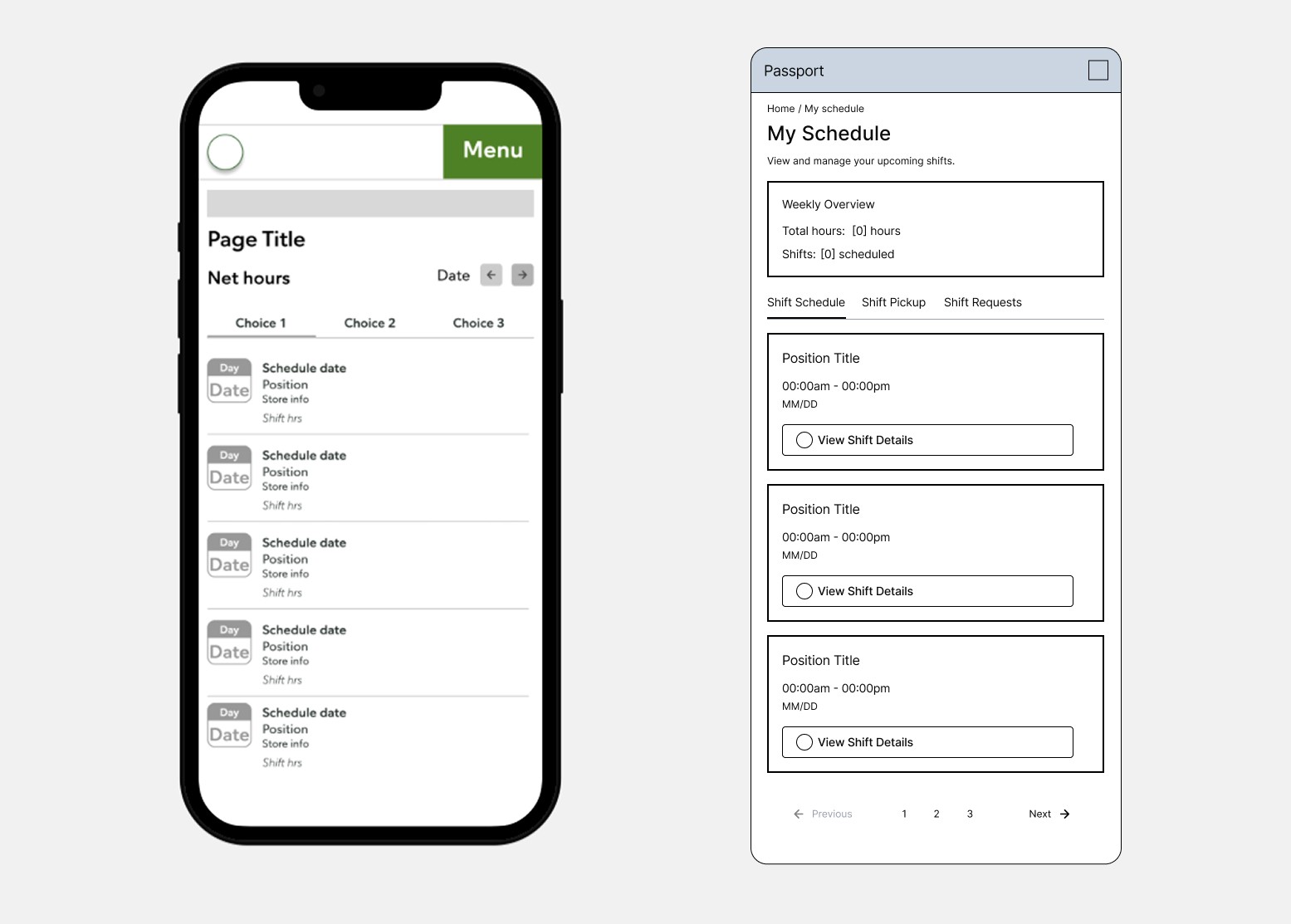
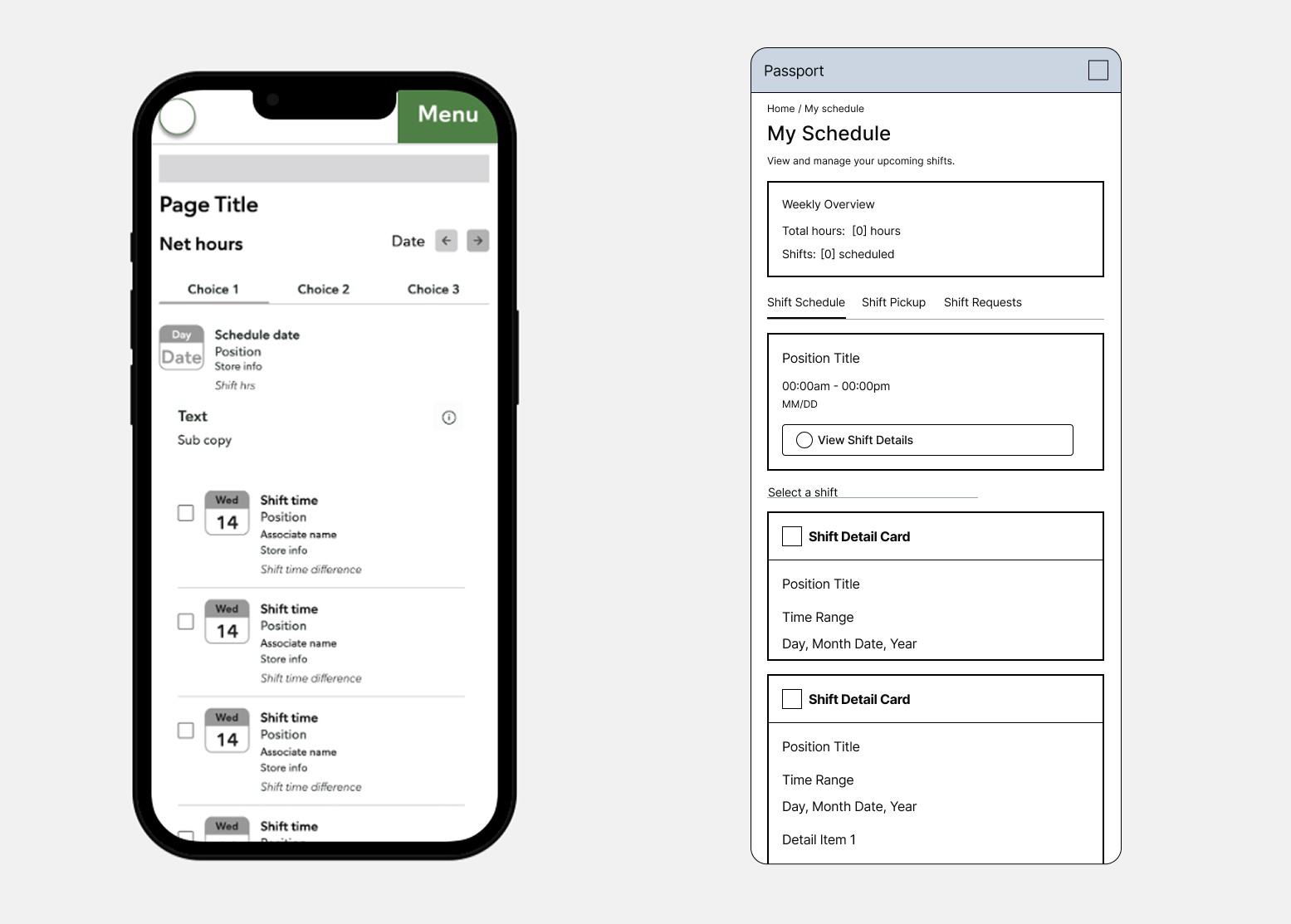
In the previous design (left), the header competes with multiple row styles, a net-hours bar, and generic “Choice 1 / Choice 2 / Choice 3” labels, making it hard to tell what is interactive and what is just information. In the updated design (right), the page starts with a simple “Weekly Overview” card and a consistent list of shift cards, so users immediately understand “this is my schedule and each row is a shift I can tap.”
Shift Detail
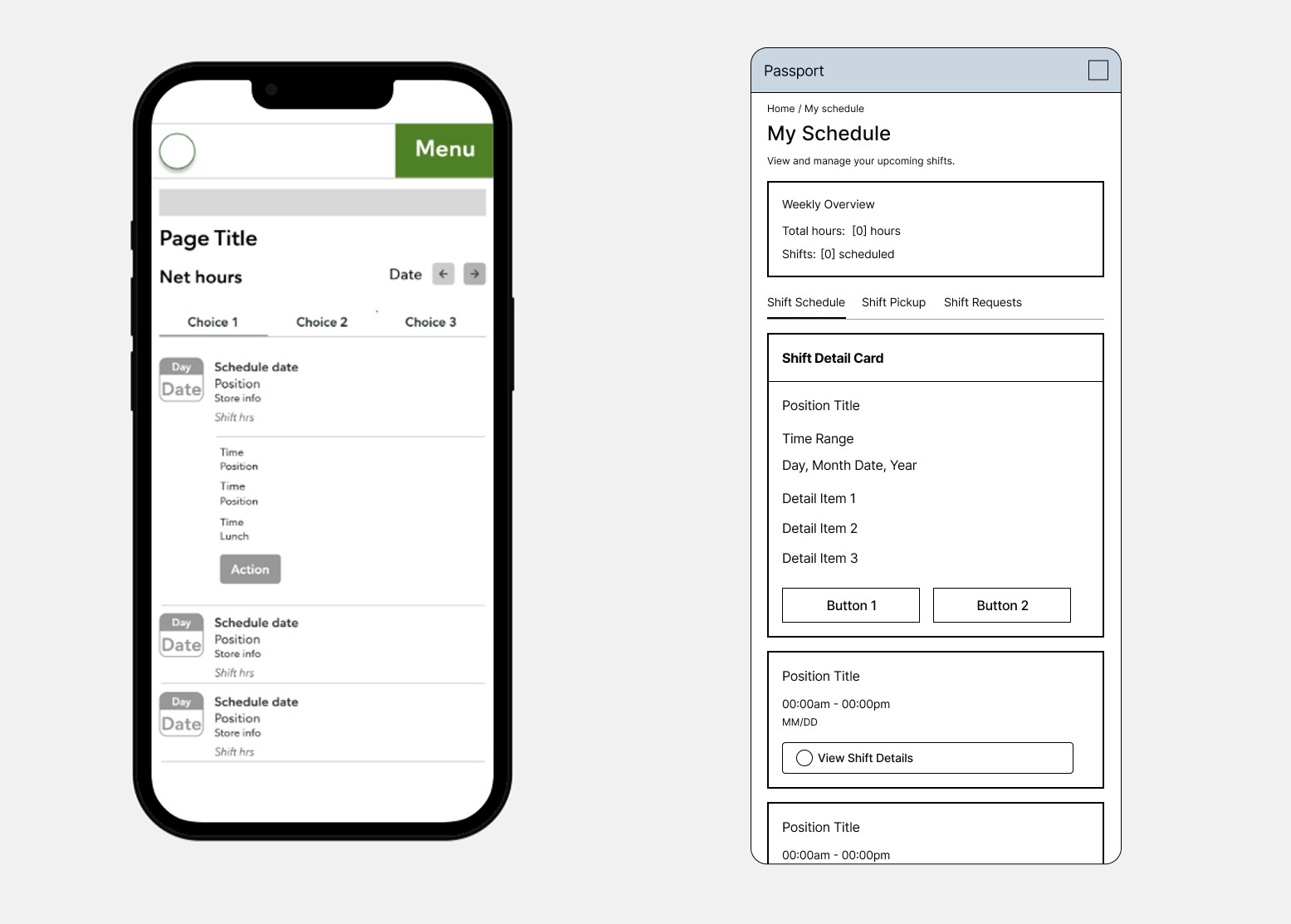
The earlier design uses small “Action” buttons embedded in dense shift rows, so associates have to guess what the buttons do and may miss that they can act on each shift. The new card pattern isolates each shift with a single “View Shift Details” control, making the primary action explicit and leaving room for later contextual actions (swap, offer, pickup) in the detail view, rather than cluttering the list.
Shift Selections
In the previous designer’s pickup view, multiple similar rows with checkboxes and minimal hierarchy make it difficult to see which shifts are available and what is currently selected. In the redesigned flow, available shifts are presented as distinct, labeled cards with a clear “Select a shift” instruction, so users understand they’re choosing one item from a set rather than scrolling through a similar list.
Hi-Fidelity Mockups
Make complex systems feel simple and technology into great digital experiences
Shift Pick-up: Choosing a New Shift
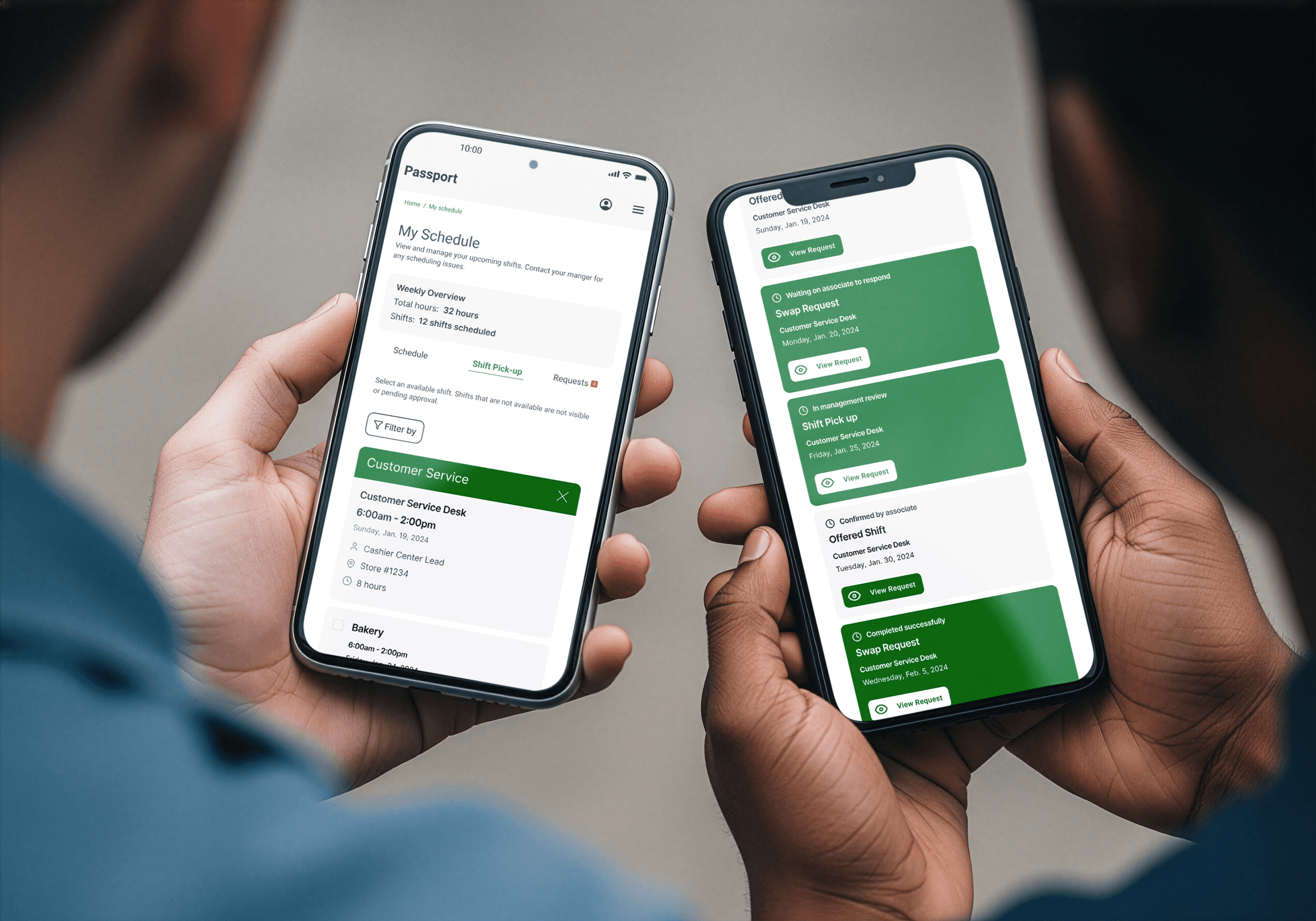
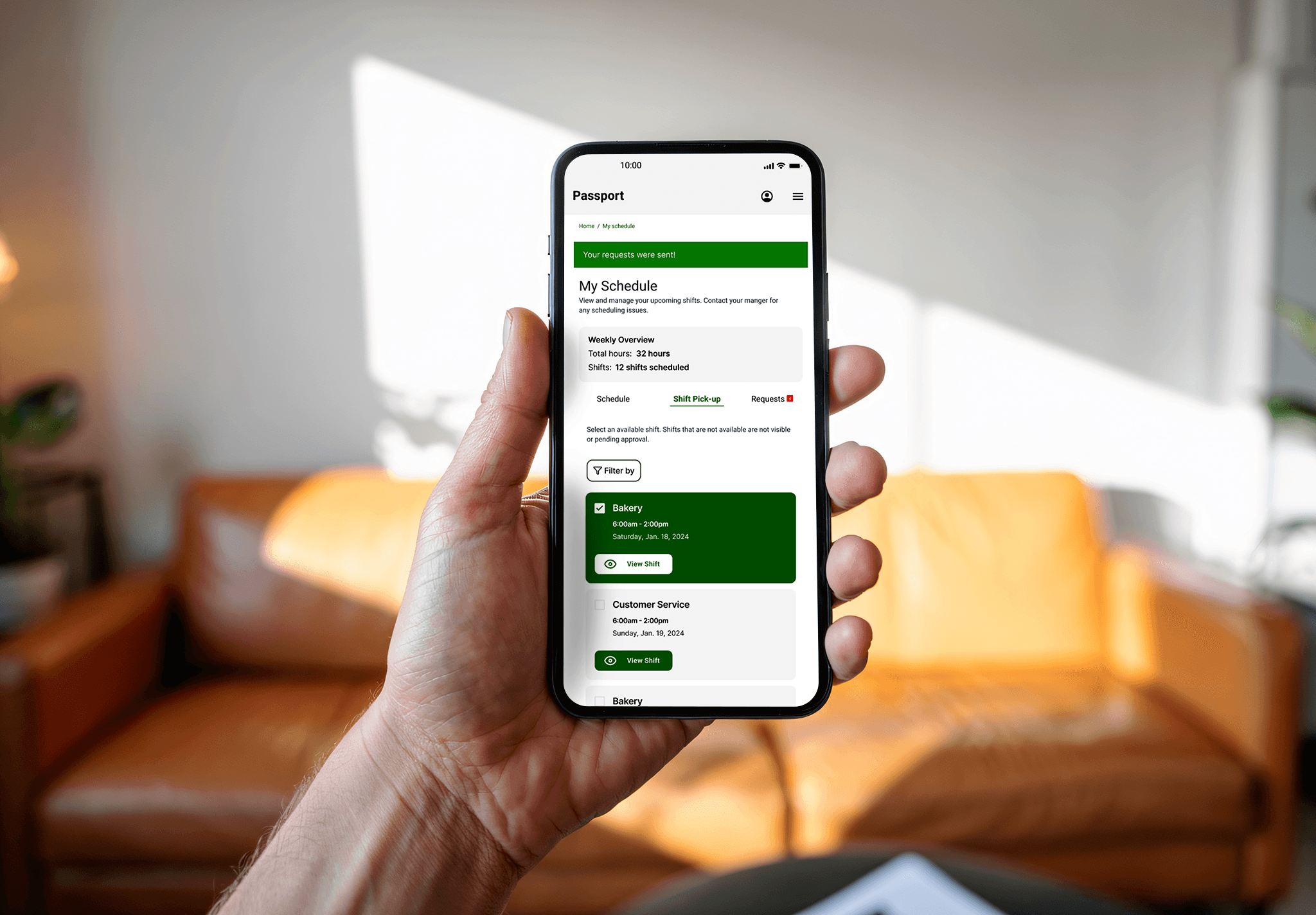
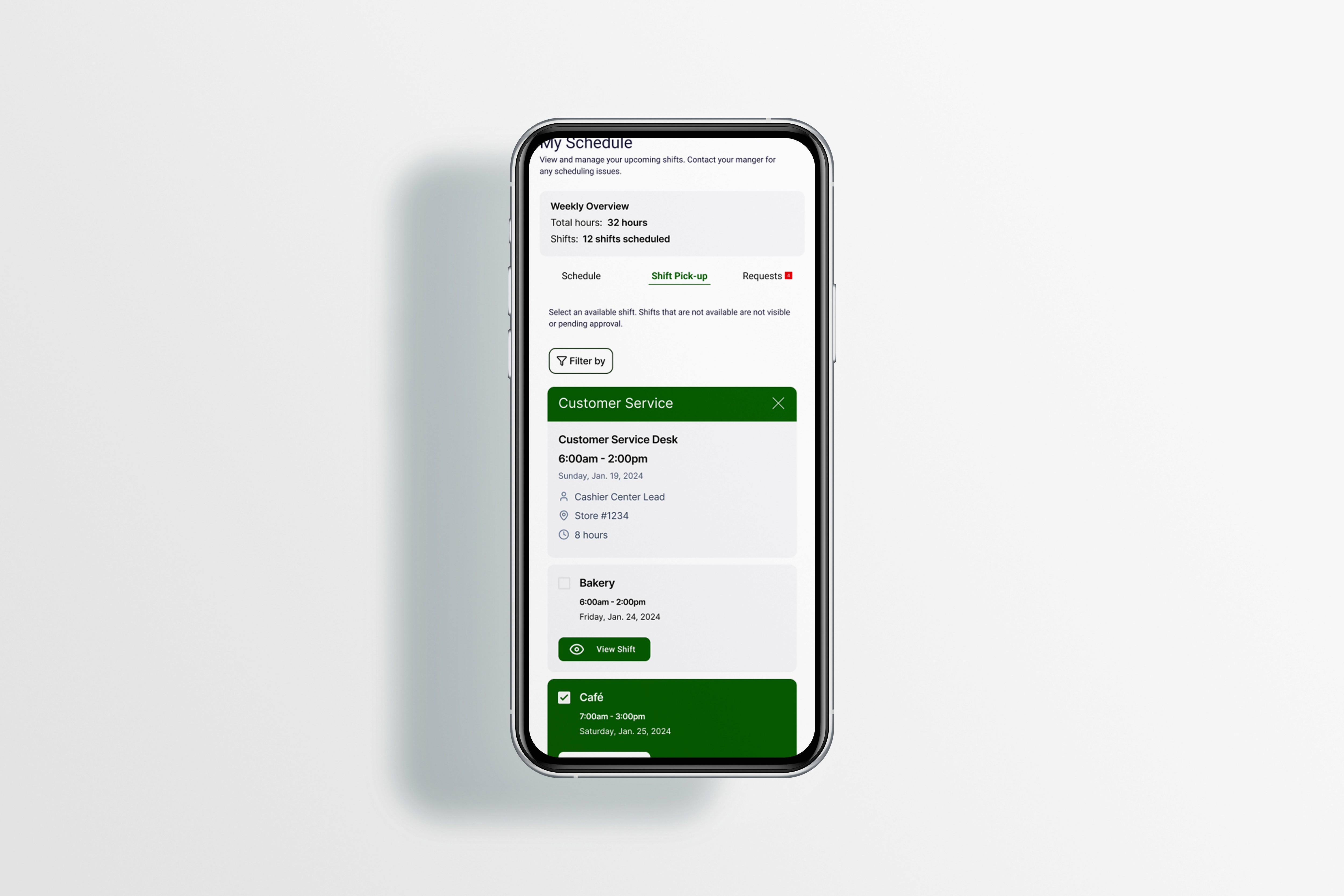
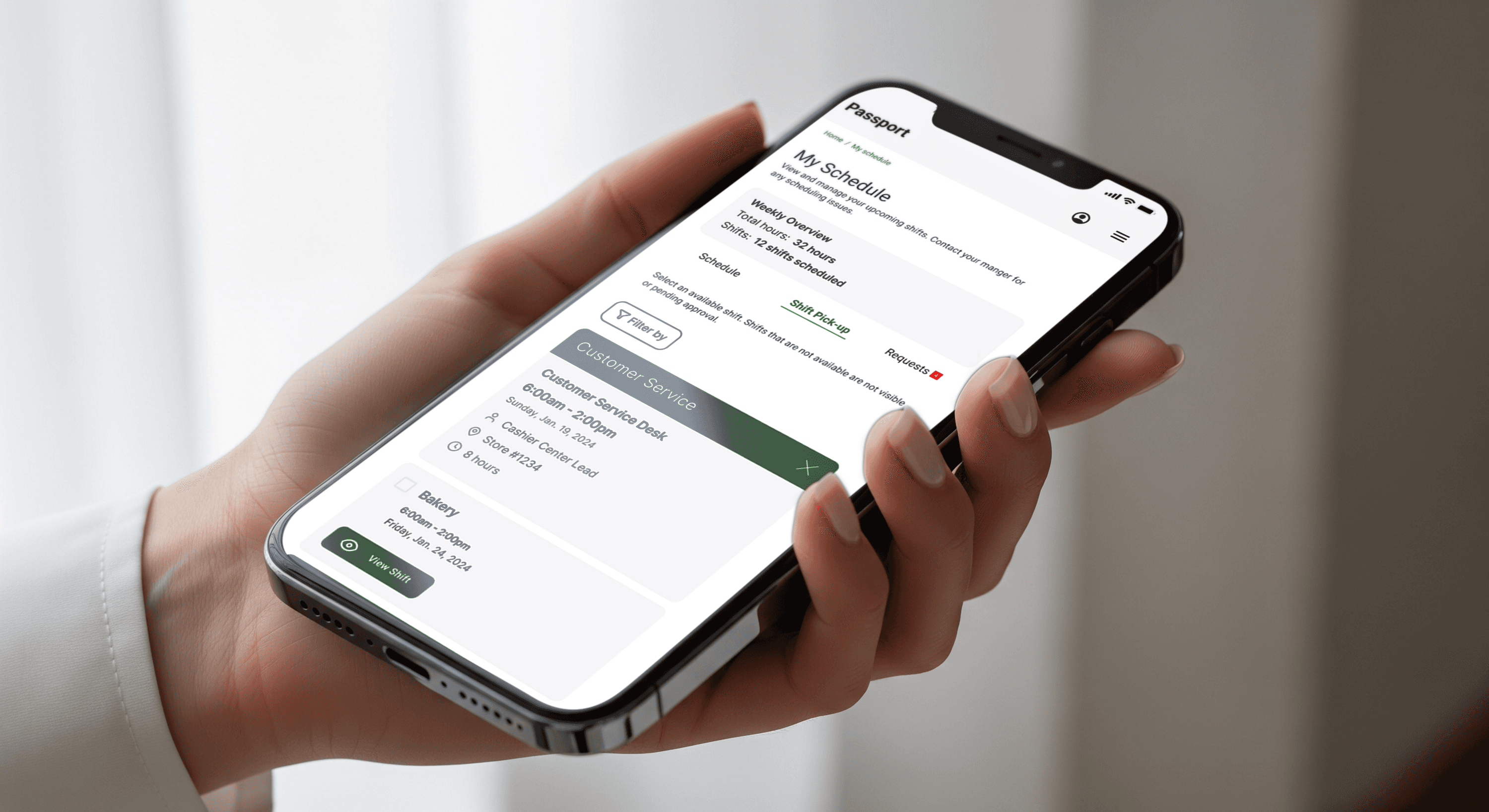
This screen shows the Shift Pick-up tab where associates can filter by department and then choose from available shift cards in a familiar list layout. Each card surfaces role, time, location, and duration, and uses a clear selection state, so users understand exactly which shift they are picking up and can compare options at a glance.
My Schedule: Managing Owned Shifts
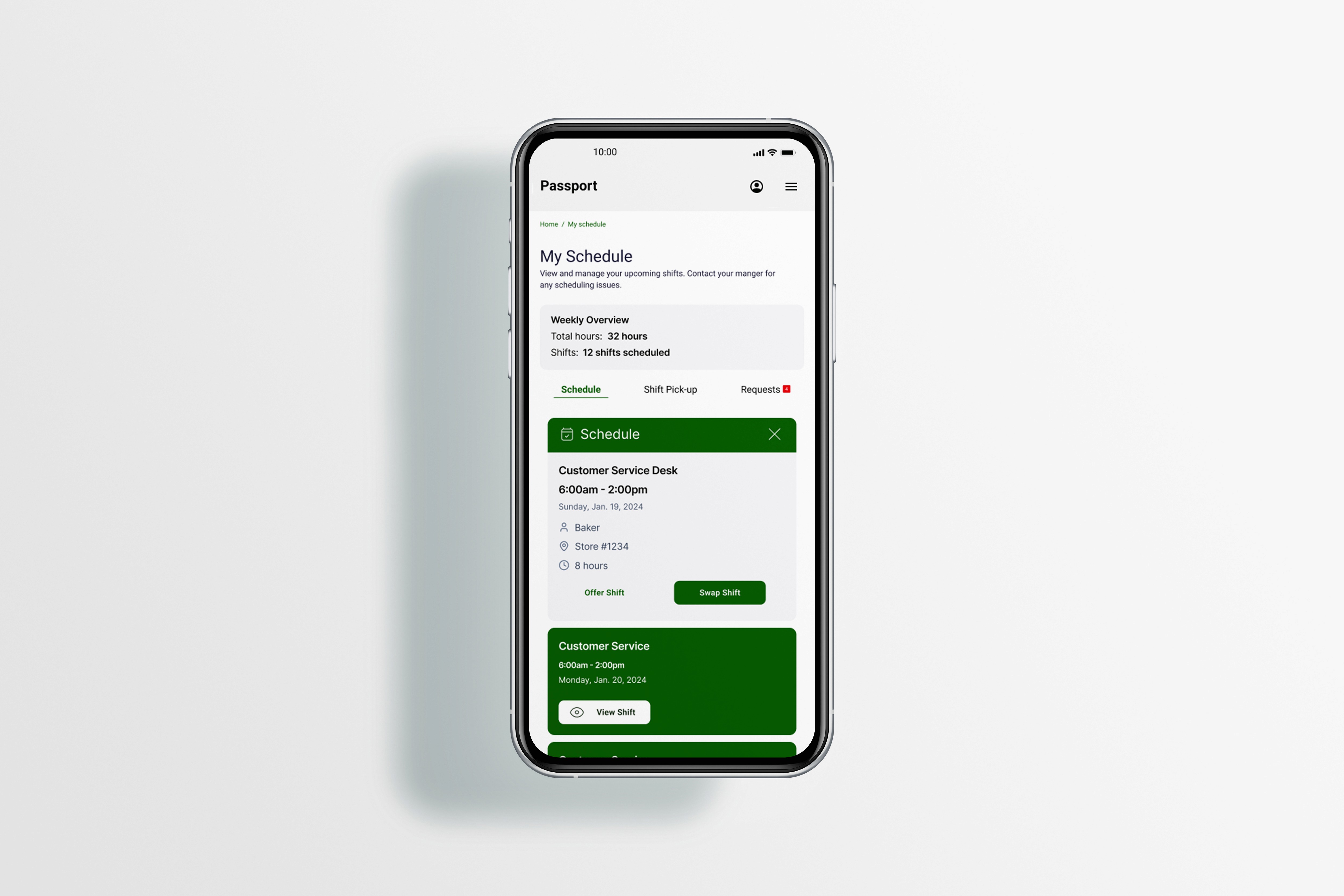
This screen focuses on the Schedule tab within My Schedule, highlighting the active shift card with role, hours, store, and duration, plus clear CTAs for Offer Shift and Swap Shift. By keeping all shift actions directly on the card and aligning them with the weekly overview at the top, the design makes it obvious how to adjust a shift without leaving the main schedule view.
Requests: Tracking Offers and Swaps
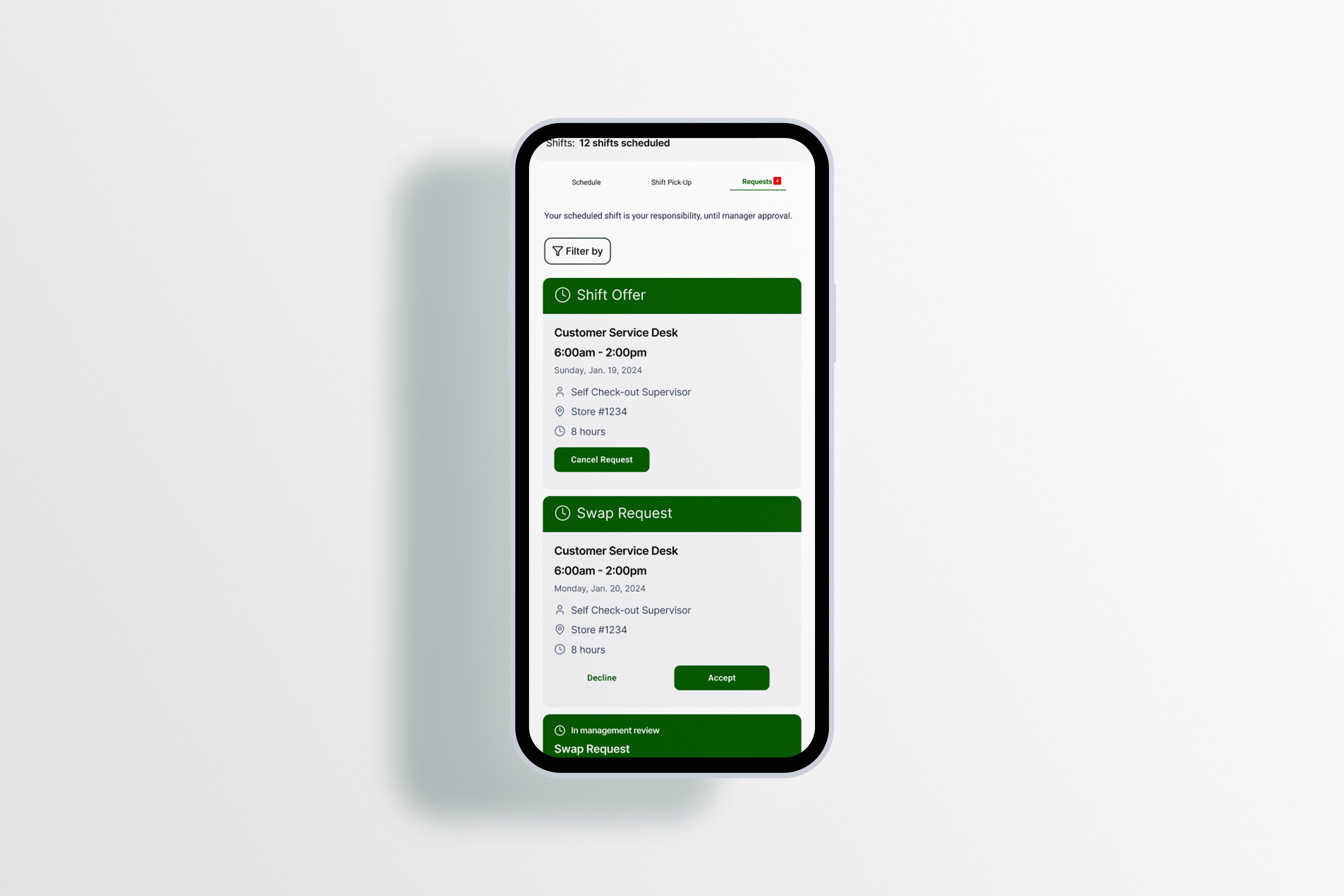
This screen presents the Requests tab, where pending shift offers and swap requests are grouped into labeled cards like “Shift Offer” and “Swap Request.” Each card displays key details (role, time, store) and concise actions such as Cancel Request, Decline, and Accept, so associates can quickly understand the status of each request and what action—if any—is needed.
Final Solution
Learnings:
I learned that self-service scheduling works only when it balances associate empowerment with manager oversight and operational guardrails. Shift swaps and pickups need to be intuitive and fast, but the system must flag coverage risks and compliance issues before finalizing changes to protect store operations.
Next Steps:
Expand the platform with AI predictive scheduling suggestions based on historical patterns and associate preferences. Add mobile clock-in/out integration to close the loop from scheduling through time tracking and payroll, and introduce shift-preference learning to surface relevant opportunities first.
Launch Metrics
Through research, design, and testing, this project validated that associates already had workarounds for scheduling friction—group chats, sticky notes, and verbal agreements. The real opportunity was formalizing those behaviors into a transparent, compliant system. Observing managers juggling texts while running floor operations and hearing associates describe missed shift opportunities showed that both sides wanted the same thing, autonomy with accountability.
Testing prototypes with 14 users across age ranges and digital comfort levels proved that simplicity beats features; associates completed shift pickups in under 2 minutes when flows were clear, mobile-optimized, and offline-capable, and managers gained confidence when coverage impact was surfaced upfront rather than discovered after approval.
Metric | Before | After | Change / Impact |
|---|---|---|---|
Manager scheduling time per week | 5.2 hours | 2.1 hours | 60% reduction |
Self-service shift pickups per week | 5 (manual process) | 45 | 800% increase in associate engagement |
Peer-to-peer shift swaps per week | Informal/untracked | 30 approved swaps | New capability with compliance tracking |
Unfilled shifts (coverage gaps) per week | 8 | 2 | 75% improvement in coverage |
Associate feature adoption | N/A | 95% of eligible | Strong adoption signal |
Manager satisfaction with tool | N/A | 4.3/5 | Positive usability feedback |