/

health-wellness-hub

Health & Wellness Hub

An AI-guided mental health and wellness hub, making it safe and easy for 250K associates and their families to find care. Increased monthly active usage from 8% to 32% and recovered lost spending on unused healthcare programs.

An AI-guided mental health and wellness hub, making it safe and easy for 250K associates and their families to find care. Increased monthly active usage from 8% to 32% and recovered lost spending on unused healthcare programs.

Project Overview

Problem

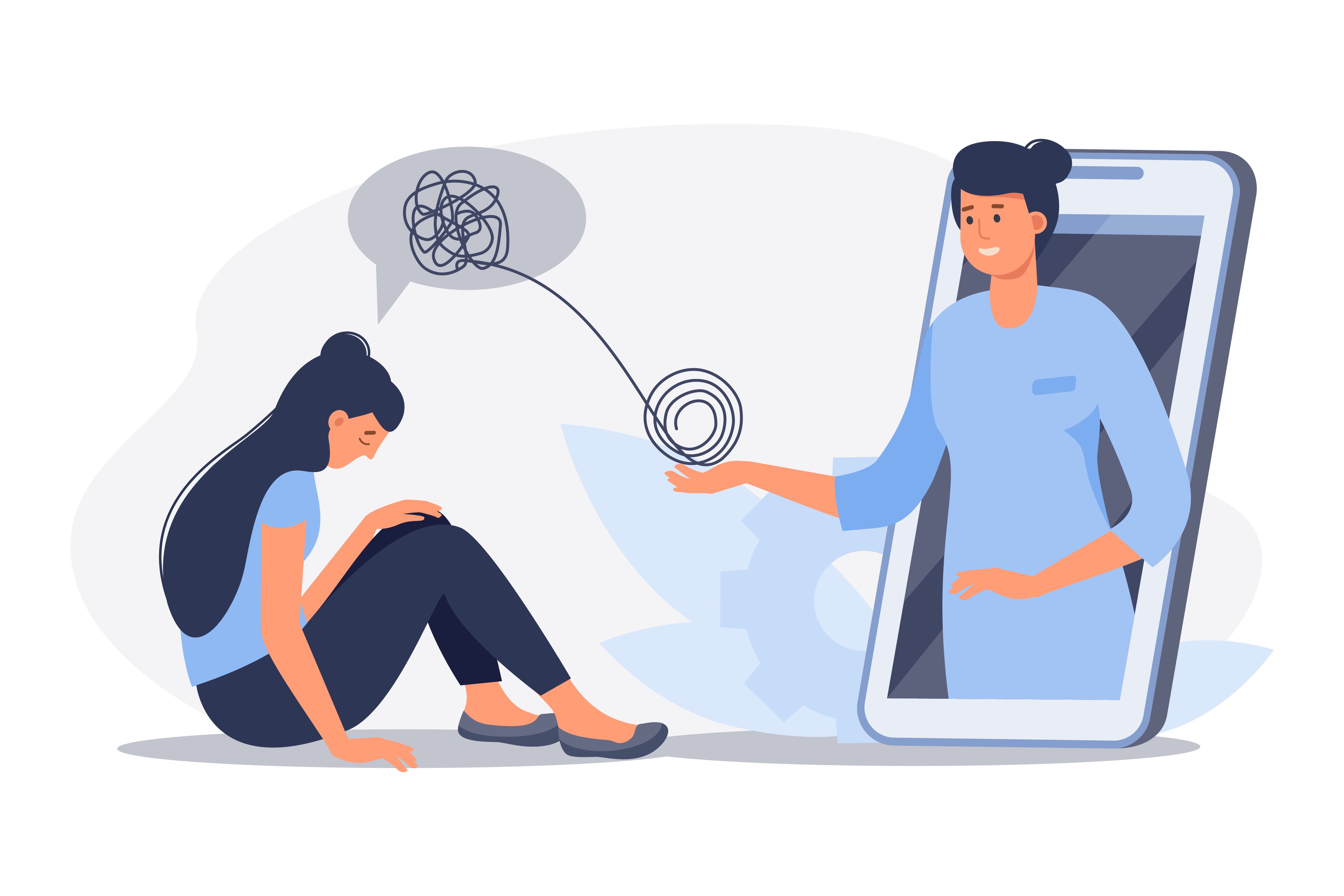
Out of over 250,000 associate's, only around 20,000 (8%) used their full benefits of healthcare resources. This low usage rate caused the company to lose money on unused resources and programs, as well as associates not taking advantage of available benefits.

Role

UX Designer

Responsibility

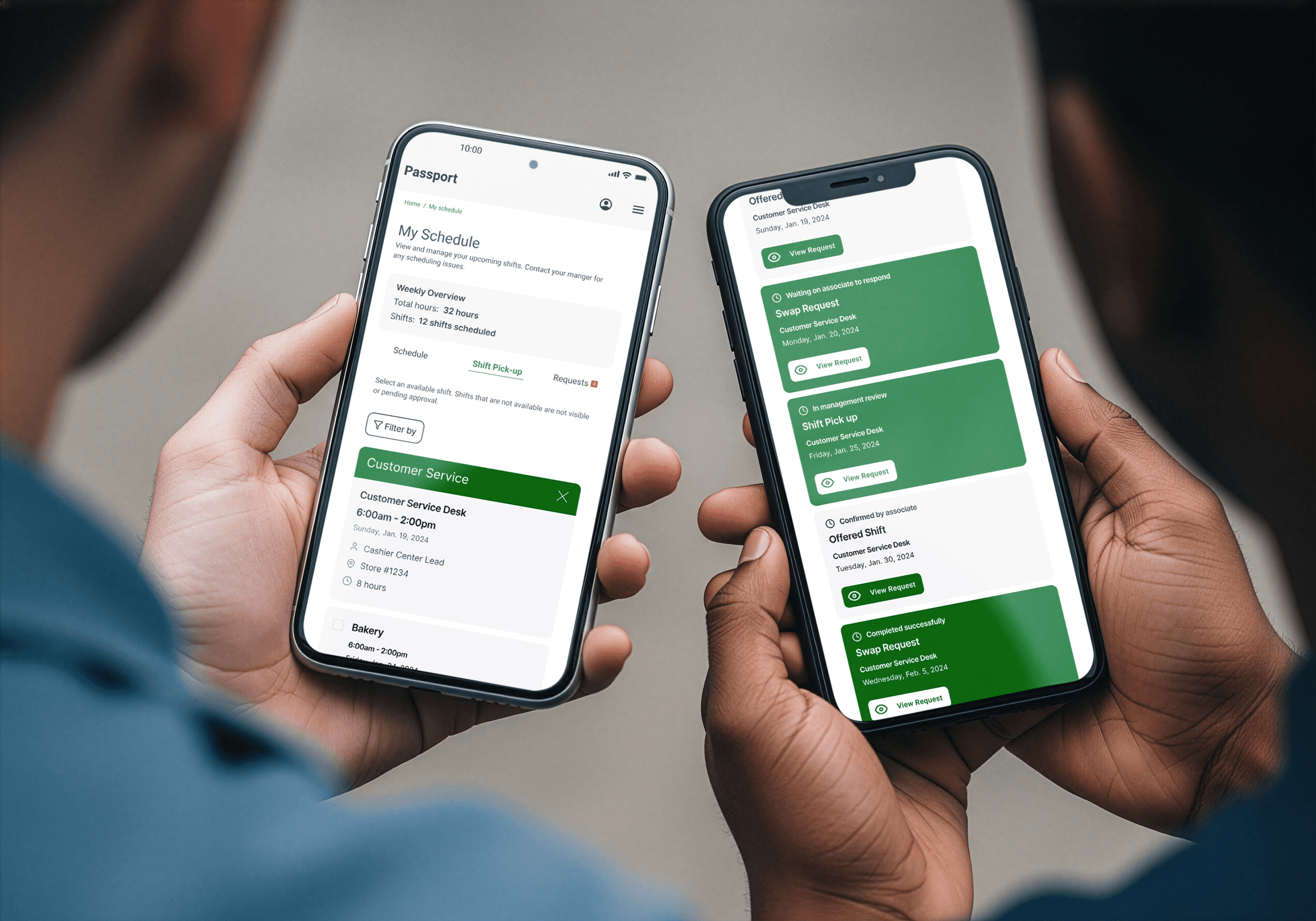
I was responsible for designing pages that would host the resources and tools that users could access. I collaborated with the Engineering team and Human Resources stakeholders to create an AI-driven health tool for users, aiming to increase the utilization of healthcare benefits. I designed the health and wellness hub, webinar page, and the AI-driven matching of users to specialists. We partnered with vendors that already provided the healthcare resources, Teledoc and CuraLinc.

Research

Overview

I led 7 in-depth user interviews with associates across store, office, and distribution roles. I partnered with internal mental health clinicians and the engineering team to understand matching algorithms and safety protocols. I also conducted accessibility testing with users of various backgrounds to determine the average user's digital literacy and abilities.

Key Findings

The interesting part of all this information was that it proved my theory on why I thought users didn't use their benefits was wrong. I originally believed it was a lack, but from what I gathered from stakeholders, there are many benefits they invested in for their users, and users misunderstood why these benefits exist. This created a disconnect and underused resources.

  • User Flow
    User Flow
  • User Flow
User Personas

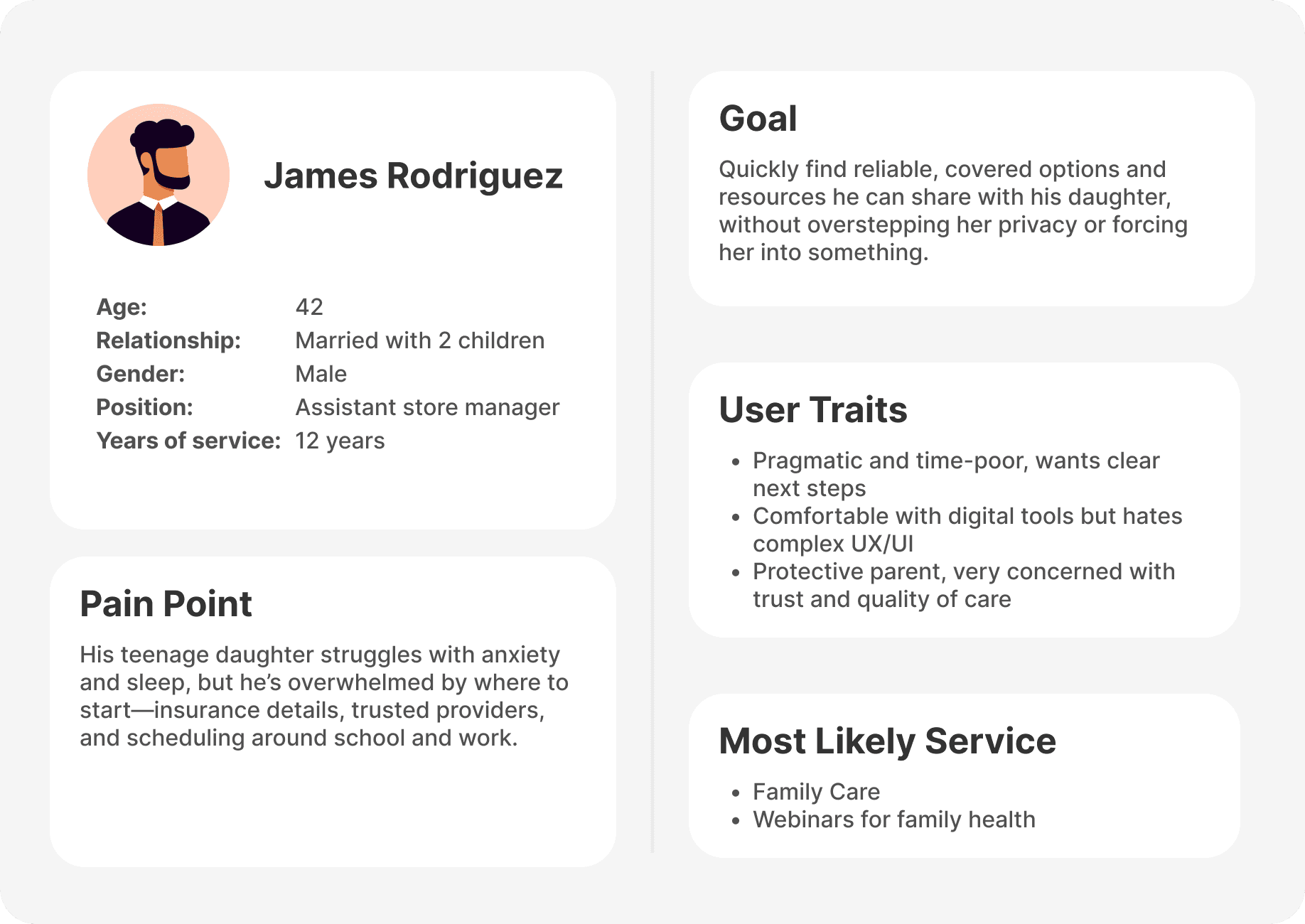
From our research, we put together 4 user personas that would represent the most common pain points and goals users hope to achieve.

  • Persona_img2
    Persona_img2
    Persona_img2
  • Persona_img1
    Persona_img1
    Persona_img1
  • Persona_img4
    Persona_img4
    Persona_img4
  • Persona_img3
    Persona_img3
    Persona_img3
Pain Points
Pain Points
Users Demographic

72% of recurring users are 28 - 50 years old; missing a percentage of users 13 - 27.

Onboarding Overwhelm

Long intake forms caused 40% abandonment in new users; associates wanted guided, lightweight discovery.

Family Care Demand

31% Of engaged users used the platform to explore care for family members first, then explored mental health for themselves.

Usage Type

Most users only visit healthcare benefits during open enrollment or leading up to insurance verification for visits.

Design Section img
Design Section img
Design Section img

Design

Overview

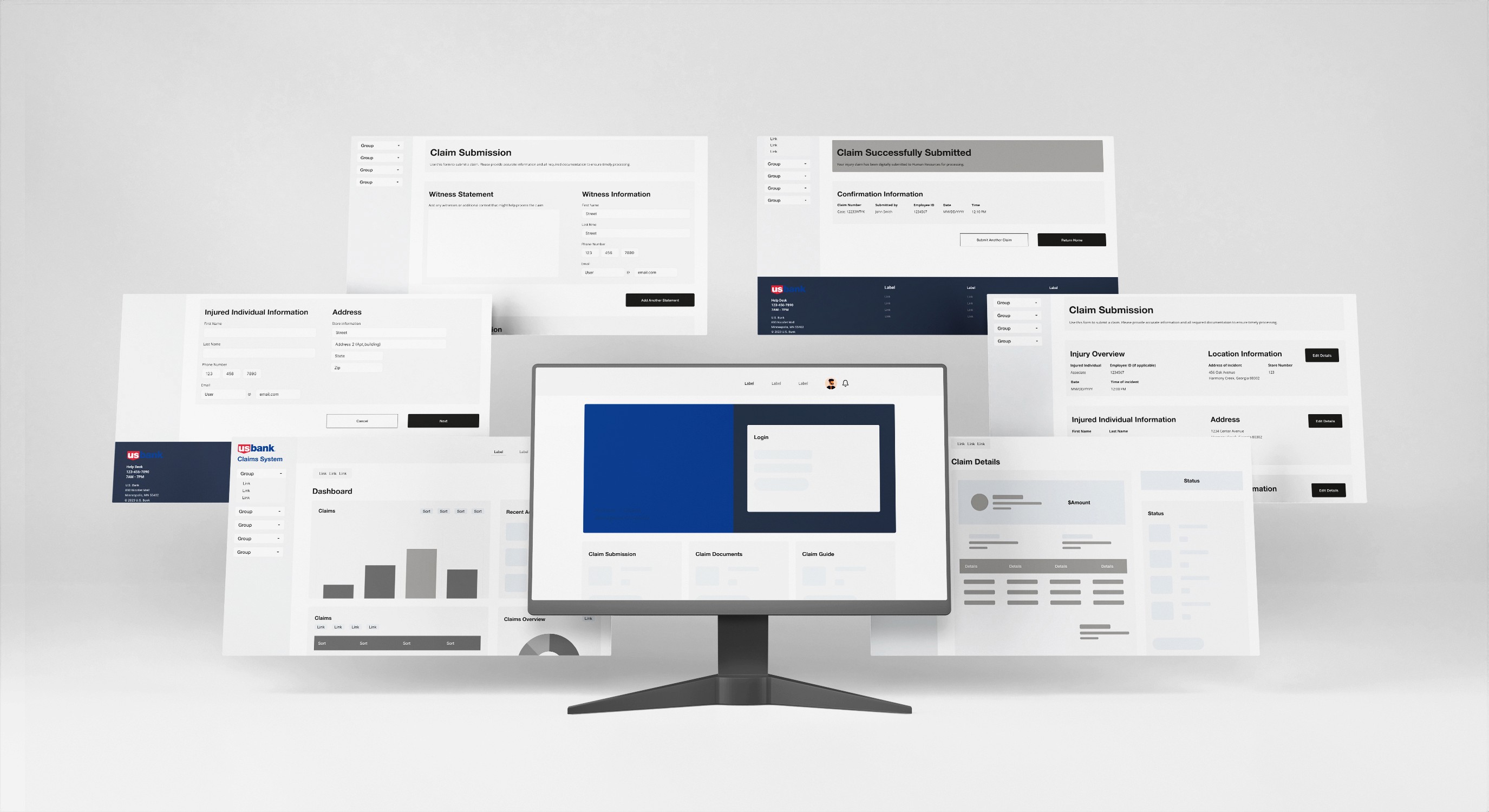
I began with wireframes, focusing on user flows and information hierarchy rather than visual polish. Testing early wireframes with 5 associates revealed that long forms felt clinical and intimidating; users wanted reassurance upfront. This led to restructuring the UI around trust signals rather than data collection. Every decision, from information architecture to microcopy and interaction patterns, was grounded in easy to use navigation with safety and transparency. I started by mapping the decision journey, then designed specific flows to address each barrier.

I prioritized three principles:

  • Transparency about how the AI works

  • Human assurance (showing humans are still involved)

  • Multiple pathways (therapy, webinars, family care, crisis).

Wireframe img
Wireframe img
Wireframe img
Wireframes
Wir_frm_img1
Wir_frm_img1
Wir_frm_img1
Home Screen Components
  • Users land on a hub of large, tappable cards (Mental Health Support, Family Care Navigator, Webinars, Crisis) that clearly describe what each section offers.

  • Each card combines an icon, bold section title, and short explainer text so users can quickly scan options and tap the one that best matches their current need.

Wir_frm_img2
Wir_frm_img2
Wir_frm_img2
Steps and Process UI
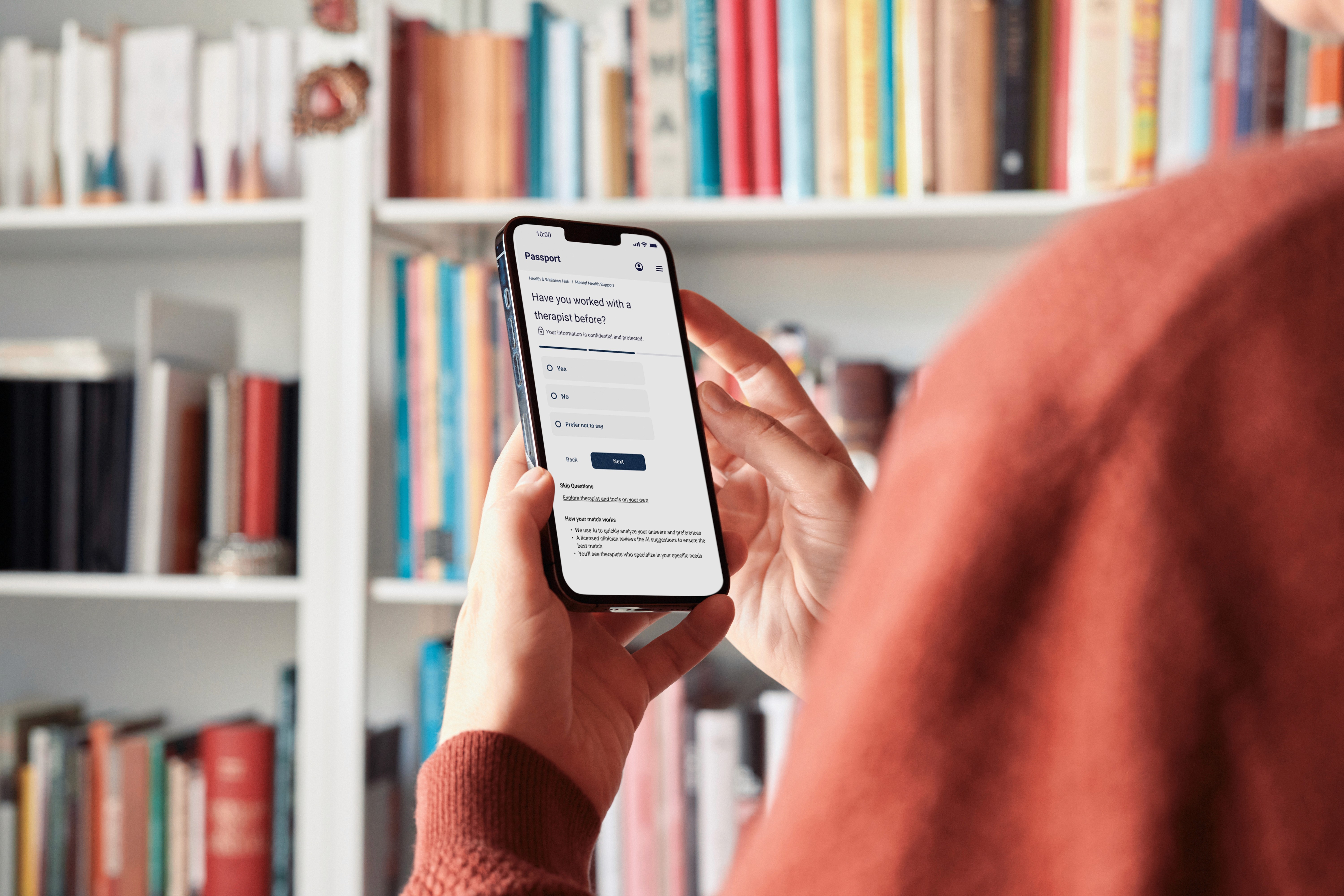
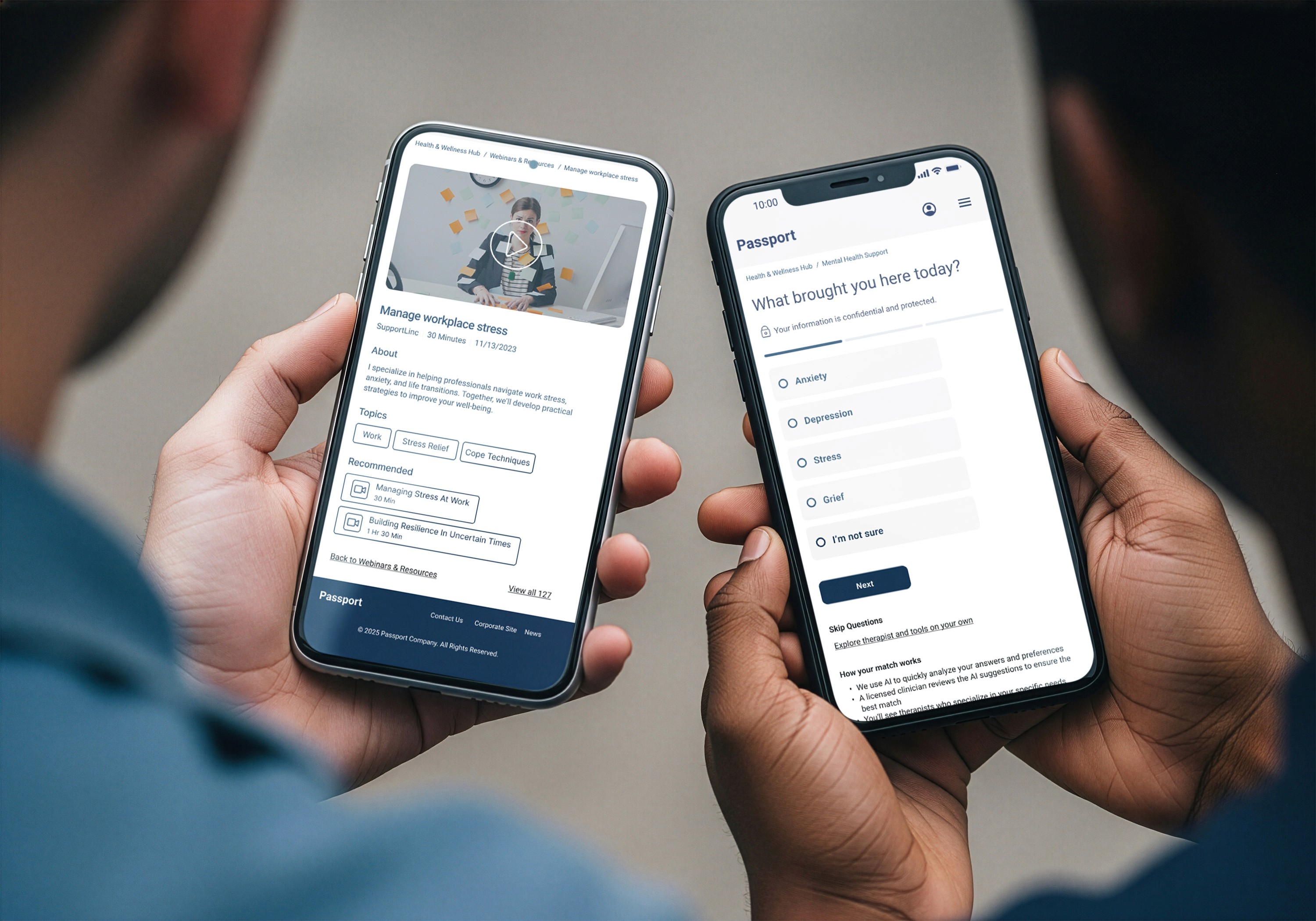
  • 3 question assessment (concern type, prior therapy experience, communication preference) instead of lengthy intake form, reduced friction and set up AI matching.

  • Users answer a few simple, single-choice questions such as “What brought you here today?” so the system can personalize recommendations.

  • A progress indicator at the top shows steps, helping users understand how many screens are left before they see tailored therapist options.

Wir_frm_img3
Wir_frm_img3
Wir_frm_img3
Tools and Booking Components
  • Users see a list of therapist cards, each summarizing name, specialties, and why they were matched, with clear CTAs like “Choose this therapist.”

  • On a detailed profile, users can review experience, ratings, next available time, and choose how to connect (video, phone, messaging) before booking an appointment.

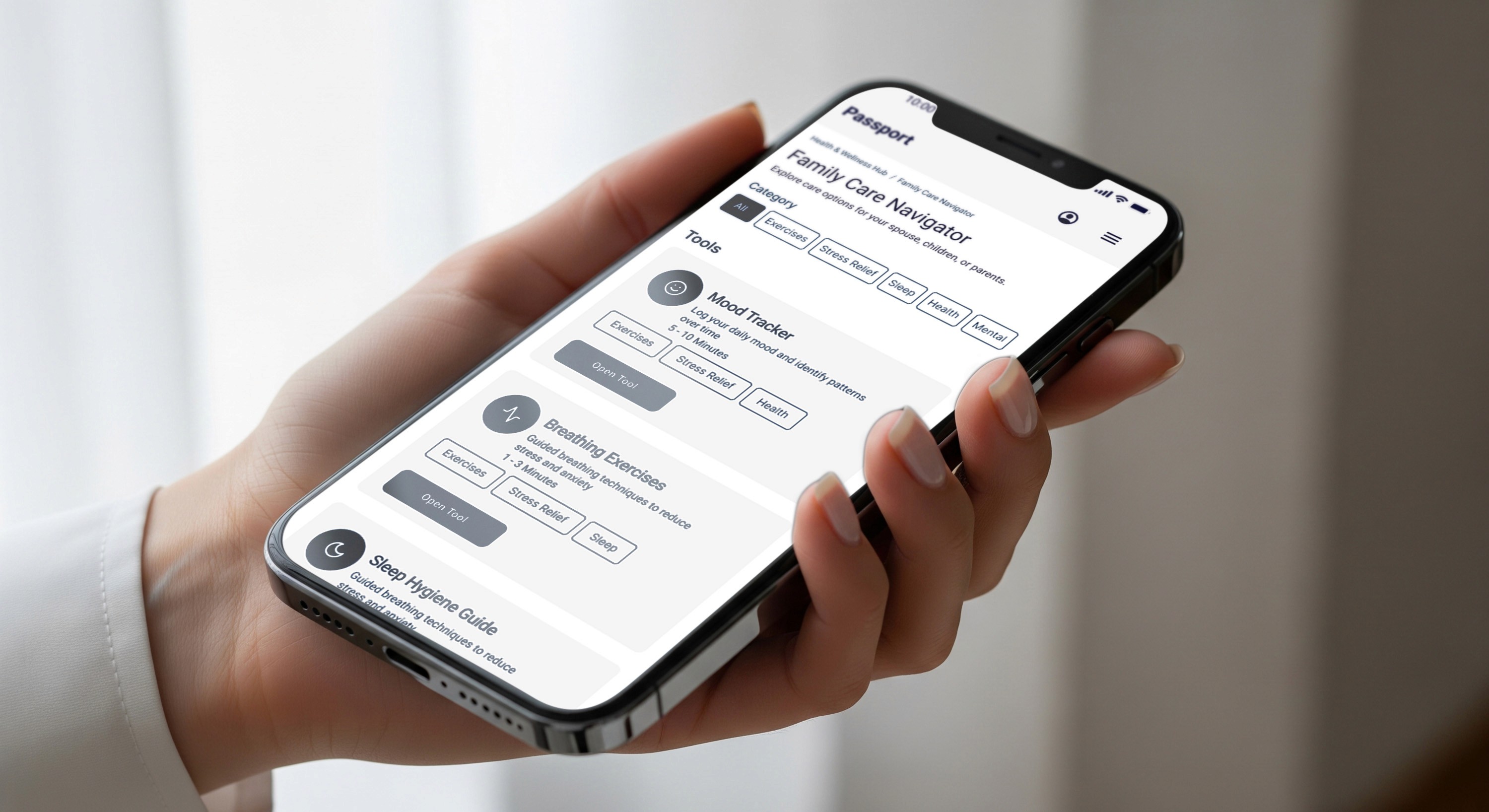
  • Users can browse self-help tools like Mood Tracker, Breathing Exercises, and Sleep Hygiene via stacked cards with tags (e.g., “Stress Relief,” “2 min daily”) that set expectations.

  • Each tool card has a prominent “Start tool” button, making it easy to launch lightweight, guided activities without booking a full session.

Hi-Fidelity Mockups

Make complex systems feel simple and technology into great digital experiences

Hi-Fi_frm_img 1
Hi-Fi_frm_img 1
Hi-Fi_frm_img 1
Health & Wellness Hub
  • Translated simple wireframe cards into company design system, branded tiles with illustrations, color, and hierarchy to make each service more scannable and engaging.

  • Added clear primary CTAs like Get Matched and Find Care so users know the next step instead of only reading descriptive text.

Hi-Fi_frm_img 2
Hi-Fi_frm_img 2
Hi-Fi_frm_img 2
Therapist Profile
  • Expanded the profile from mostly tagged info into a narrative layout that highlights photo, experience, languages, and about section for stronger trust.

  • Grouped credentials, specializations, and connection options into clearer sections so users can quickly confirm fit and choose how to book.

Hi-Fi_frm_img 3
Hi-Fi_frm_img 3
Hi-Fi_frm_img 3
Webinars & Resources
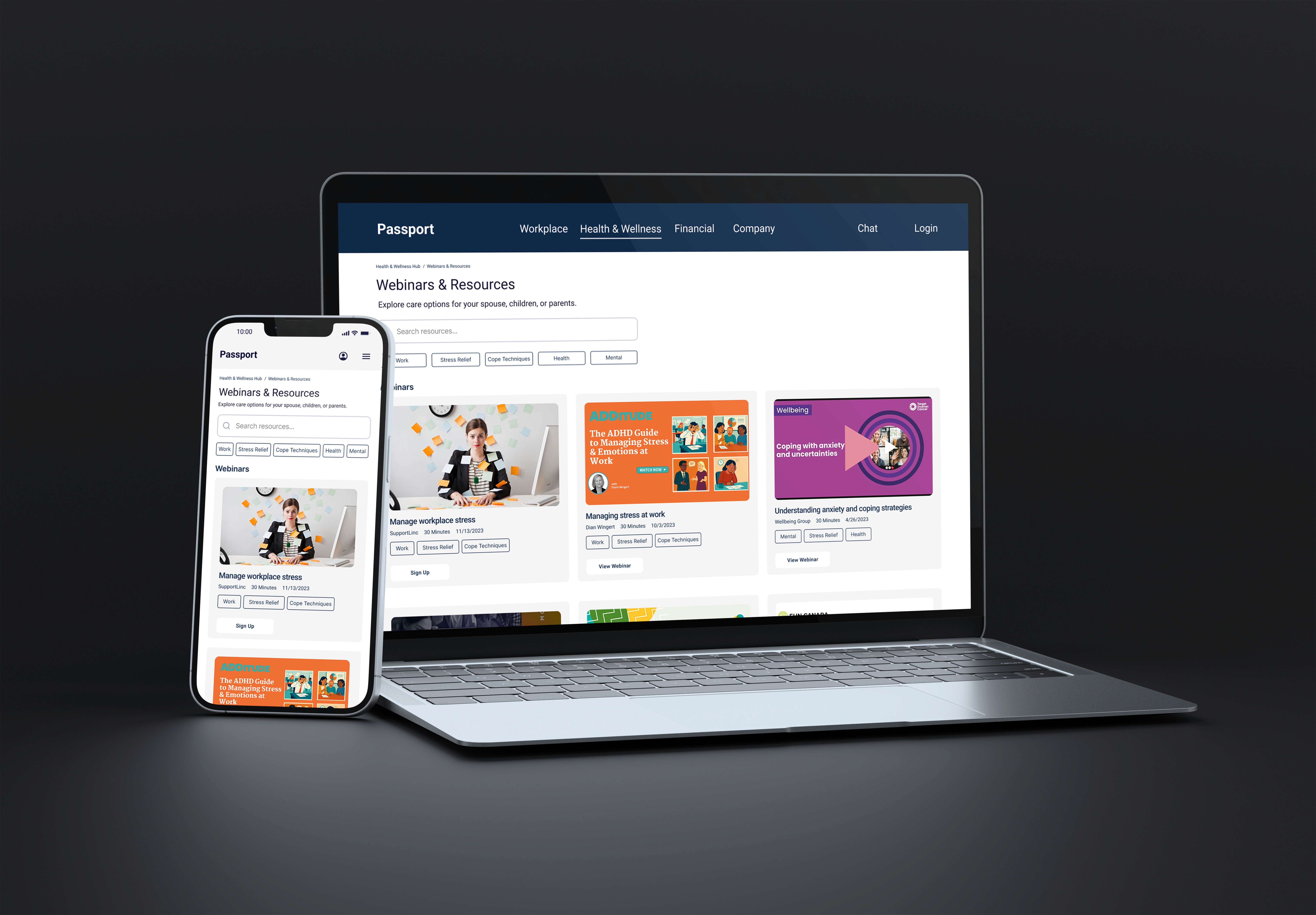
  • I increased thumbnails with large featured webinar cards and visual content previews to make the page feel more alive and media‑focused.

  • Clarified filters and metadata (time, tags, host, date) and added a Sign Up button to move users directly from browsing to registration.

Final Solution

This project exceeded business goals for adoption, rising from a targeted 18% to above 30%. Also, achieving strong user satisfaction shows a real impact for higher retention and cost savings. We proved the trust-building design approach worked, and the platform is now a flagship employee benefit mentioned in recruitment materials.

Key Learnings:

  1. Mental Health UX is Emotional Safety First
    I had to learn that this is about how people feel, not just functionality. Every micro-interaction, button label, confirmation message, response time, and privacy language communicates trust or distrust. Testing showed that warm, human-centered copy increased adoption more than any feature.

  2. Partner with Domain Experts Early
    Working with mental health clinicians and the AI partner team from week 1 prevented critical design pitfalls, such as gathering a lot of employee info upfront rather than letting them explore. Their expertise shaped UX decisions.

  3. Don't Assume the Obvious Entry Point
    I expected everyone to seek therapy first. Instead, 31% explored family care and 58% preferred webinars before therapy. Offering multiple pathways increased overall adoption and met people where they were.

Launch Metrics

Metric (250k Users)

Before launch

1 month after launch

6 months after launch

Monthly Active Users

20,000 (8%)

30,000 (12%)

77,500 (31%)

Resource Engagement

53%

55%

65%

User Satisfaction Survey

N/A (no previous surveys)

61%

83%

Webinar Attendance

N/A (no previous webinars)

24%

35%